 Kairo
Reviewed, not crowd-sourced
Sources are added and checked by Kairo rather than submitted by users. Nothing reaches the catalog because someone posted a link.
The catalog
Kairo ships a catalog of game entries with versions, sizes, artwork and links. It is an index of what independent services publish - not a store, and not a library of files Kairo holds.
Kairo comes with its own reviewed set of catalog sources already configured. You do not paste in links, add feeds, or pick which sites to trust - the catalog arrives built, and it works the moment the app opens.
Sources are added and checked by Kairo rather than submitted by users. Nothing reaches the catalog because someone posted a link.
A game can only be downloaded when it resolves to one of those reviewed sources. An entry that does not is refused rather than attempted.
The file hosts behind each source are rated on how dependably they deliver, and Kairo shows that rating next to every option.
Kairo ranks the file hosts it knows by how fast and how dependably they have actually delivered. Auto-select first picks the source with the newest copy of the game, then tries that source's hosts fastest first. When a host fails, the next one takes over and the download says which host failed and why. You can always pick a different one yourself.
A full copy ships inside the app, so the catalog is browsable the moment Kairo is installed, with no first-run download and nothing to configure. Refreshing pulls the latest published copy when you ask for it.
The catalogue filters on what Steam itself knows about each game, and a count beside every choice tells you how many games it leaves before you click.
Narrow by genre and by Steam's tags. You can also narrow by players (online co-op, versus, split screen), reviews, release date, download size, language, series, developer or publisher. Tags and genres can be ruled out as well as chosen.
Every few hours Kairo reads the current Steam build of every game with a Steam page, and every copy of Kairo receives it. Each game says whether its download matches, and "Up to date with Steam" lists only the ones that do.
Rest the pointer on a cover to see a game's description, screenshots, reviews and tags. You can browse as covers, detailed rows or a compact table, and hide a game you are not interested in.
Every saved link keeps the name of the service it points to, all the way through the interface and into the download log. Kairo tells you where a file is coming from so the choice is yours.
Which independent service the link leads to, what that service stated about the version and size, when Kairo last read that page, and how reliably that host has delivered files in the past.
That the link is authorised, accurate, safe, permanent, or lawful where you live. Those services set their own terms and Kairo has no control over them. You are responsible for having a lawful licence for anything you install.
Some entries carry several sources with different versions, sizes or contents. Kairo shows them side by side and leads with what they actually disagree about.
| Situation | What the panel says |
|---|---|
| Two sources state different versions | The difference is listed first and flagged, because that is the reason to look. |
| The same size written two ways | Treated as agreement. 4.45 GB and 4.45GB are not a disagreement. |
| A source states nothing about a fact | Its cell reads Does not say - not a blank, and not an invented value. |
| A source Kairo has never read | The column says Page not read. A link existing is not the same as a page being checked. |
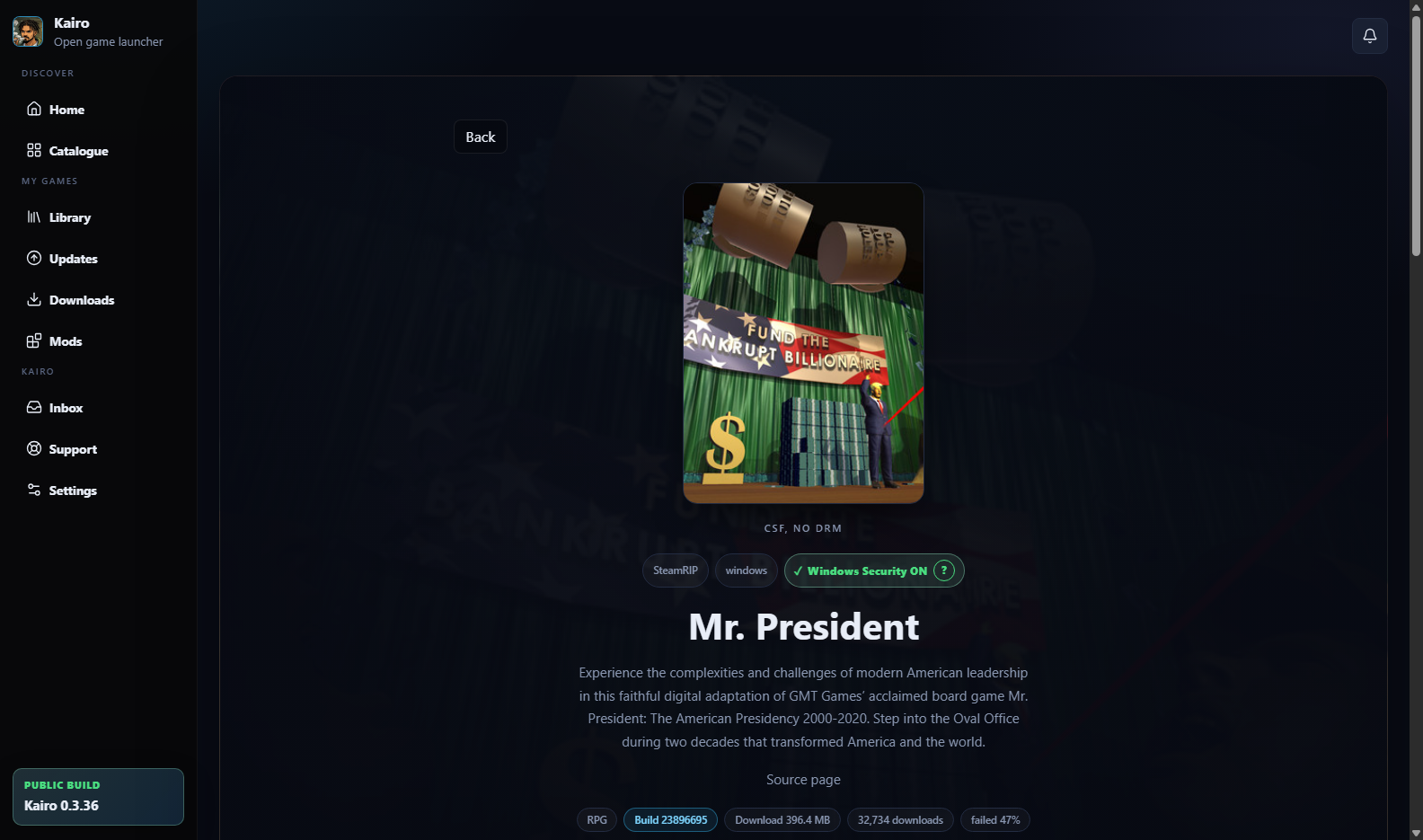
A description is taken from the entry's own text, then the official Steam summary, then release notes - in that order, rejecting search-engine boilerplate. Where no real description exists, the page is honestly empty rather than padded with filler. Official Steam information is always shown separately from anything a download source claims.
Some releases include components that Windows Security reliably flags. Kairo marks those entries Windows Security OFF so you know before you download, not after your antivirus removes a file mid-install.
Nothing in the sources for this entry is known to conflict with Windows Security. This is the normal state and the marker is informational.
A source for this entry is of a kind that Windows Security is known to flag. Kairo is telling you what to expect. It does not turn anything off, and it will never ask you to.
It is read from the sources themselves - the page a link points at, the labels on saved downloads, the link addresses, the recorded source pages and the release credit. It is deliberately not read from an entry's description, because a description can say nothing while a mirror's label says everything.
The mark is only ever lowered by evidence, never raised by guesswork: an entry a reviewer judged compatible stays compatible unless a source says otherwise.
Kairo never disables antivirus, never asks you to, and never adds exclusions on your behalf. If you choose to act on this marker, that is your choice to make with full information - and the safest choice is always to not install something you are unsure about.
Kairo indexes services it does not control, so entries drift. Rather than pretend otherwise, here is how that is handled.
Broken links, wrong versions and bad metadata can be reported from inside the app or through the report form. Rights holders should use the dedicated verified process described in the Copyright policy.