 Kairo
KairoPause actually pauses
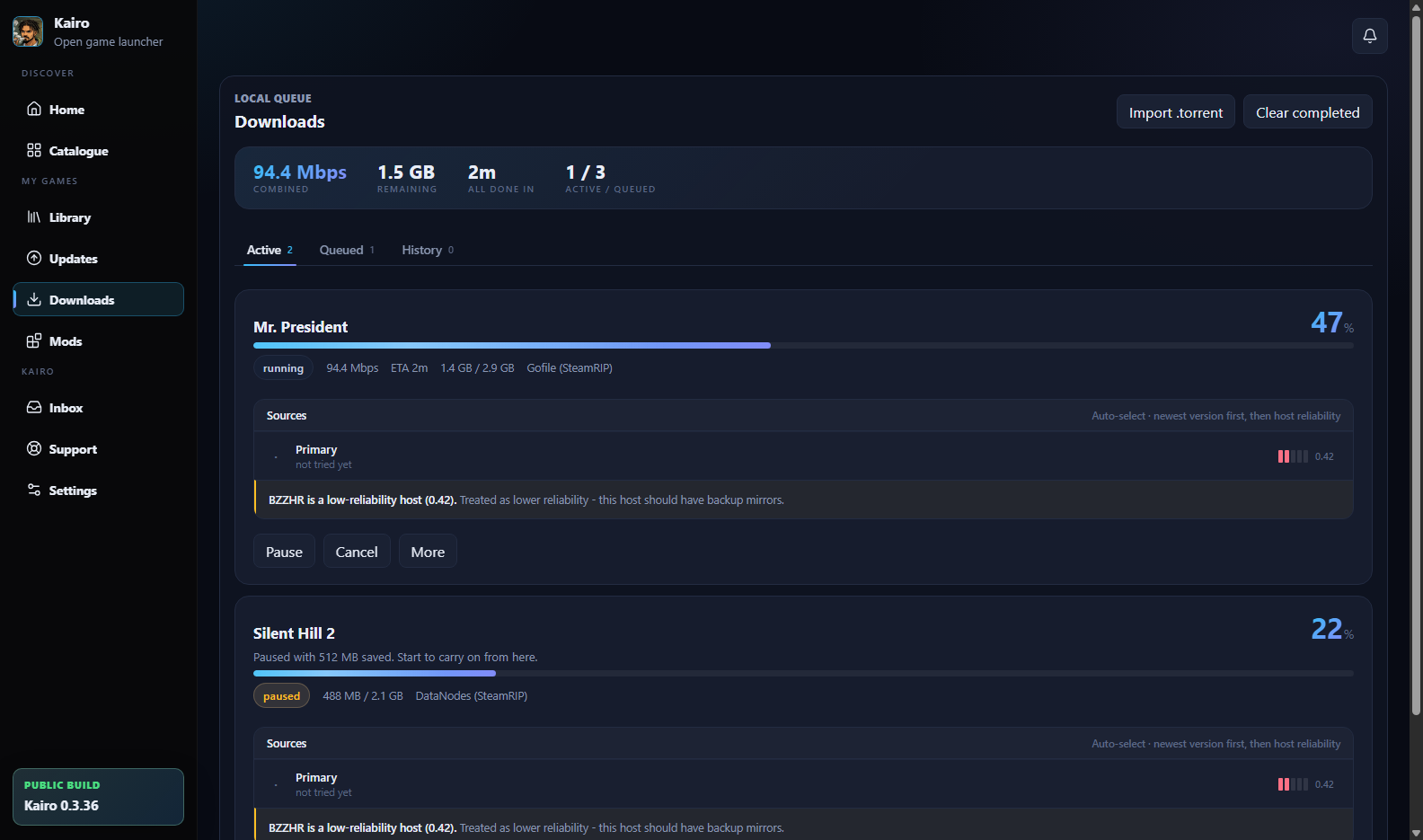
Pausing keeps the bytes already downloaded and remembers which source they came from. Starting again carries on from there instead of beginning at zero.
Windows private beta · v0.5.7
Kairo is a library and download manager for Windows. It keeps every source labeled, checks you have the space before it starts, carries on from where a paused download stopped, and keeps the library honest about what is actually installed.
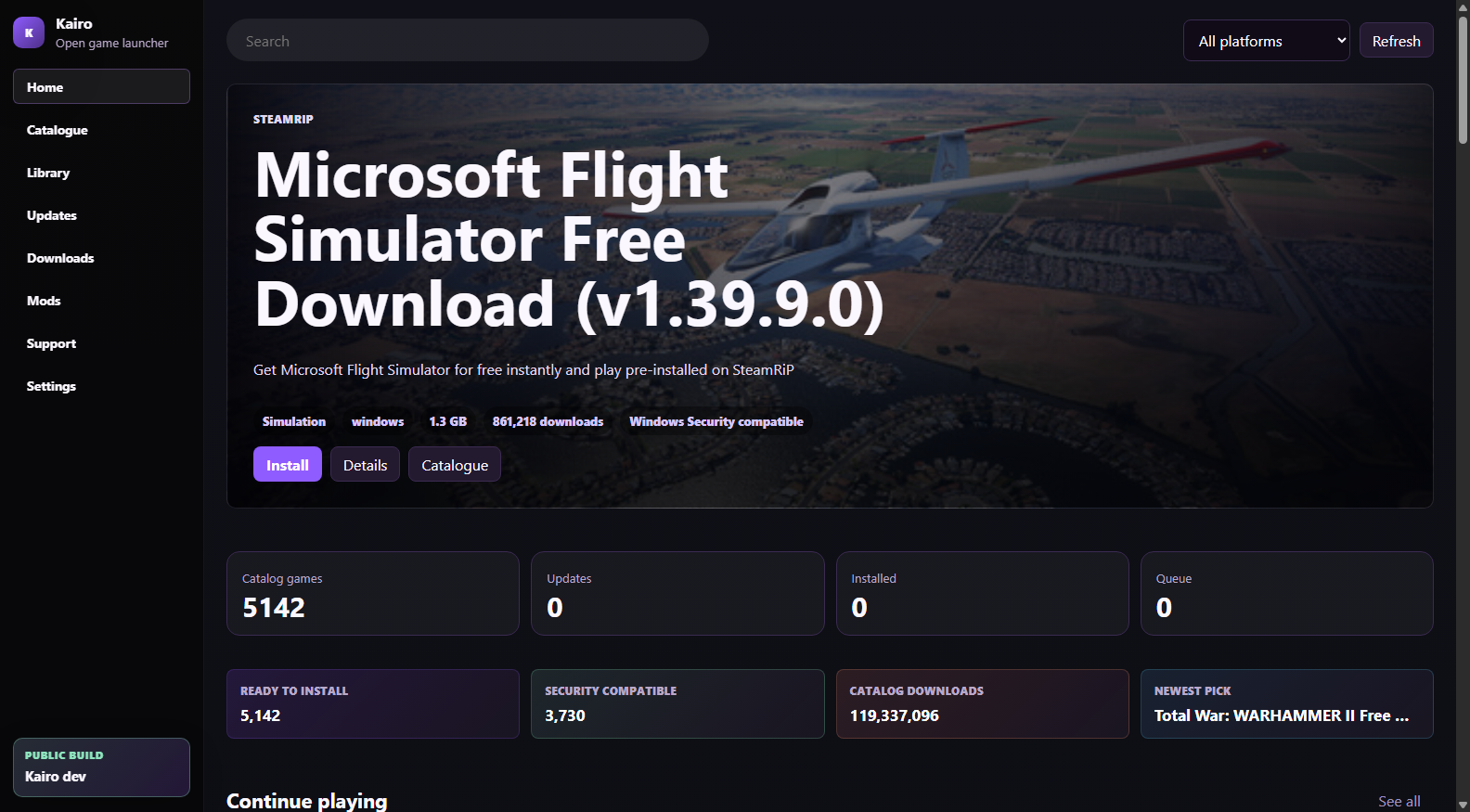
Why it exists
A progress bar that says nothing. A source that failed without saying which one. A pause button that quietly threw away an hour of downloading. Kairo was built by fixing those specific things, one at a time.
Pausing keeps the bytes already downloaded and remembers which source they came from. Starting again carries on from there instead of beginning at zero.
When a host stops mid-transfer the log says which host, why, and what Kairo tried next - so a provider's bad day does not read as the app breaking.
Kairo estimates the archive, the temporary copy and the extracted game, then asks which drive - before it commits, not halfway through.
Multipart archives stay a single package. Every part is verified present before extraction starts, so a missing part is caught early.
Kairo ships with its own reviewed sources and a full catalog copy. Nothing to add, nothing to configure - it works the moment you open it.
On startup Kairo reads back its own install records. A game you moved is found; a drive that is merely unplugged is never called missing.
Choose a full reinstall that clears the folder first, or one that replaces the game's files and leaves your saves and mods alone.
The workflow
No stage is a black box. If something goes wrong you can see which step, which source, and which file.
What is in the box
Entries carry a version, a size, cover art and a description taken from the best source available - and where there is genuinely no description, the page says so instead of padding it out.
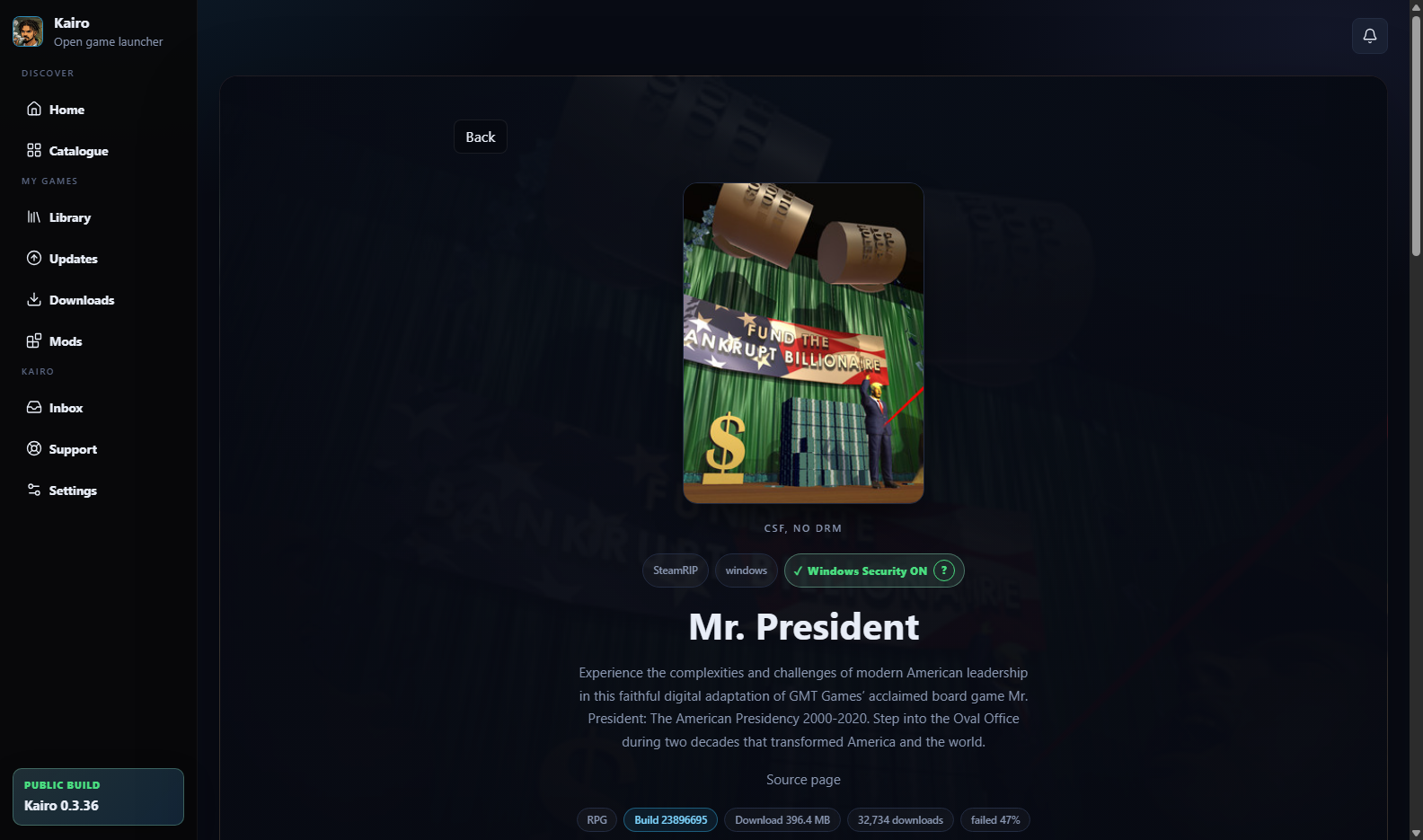
Kairo records where each game went, which executable launches it, and what it did during the install. Mods are handled through Vortex where possible, so your Nexus credentials stay in the tool that already holds them.
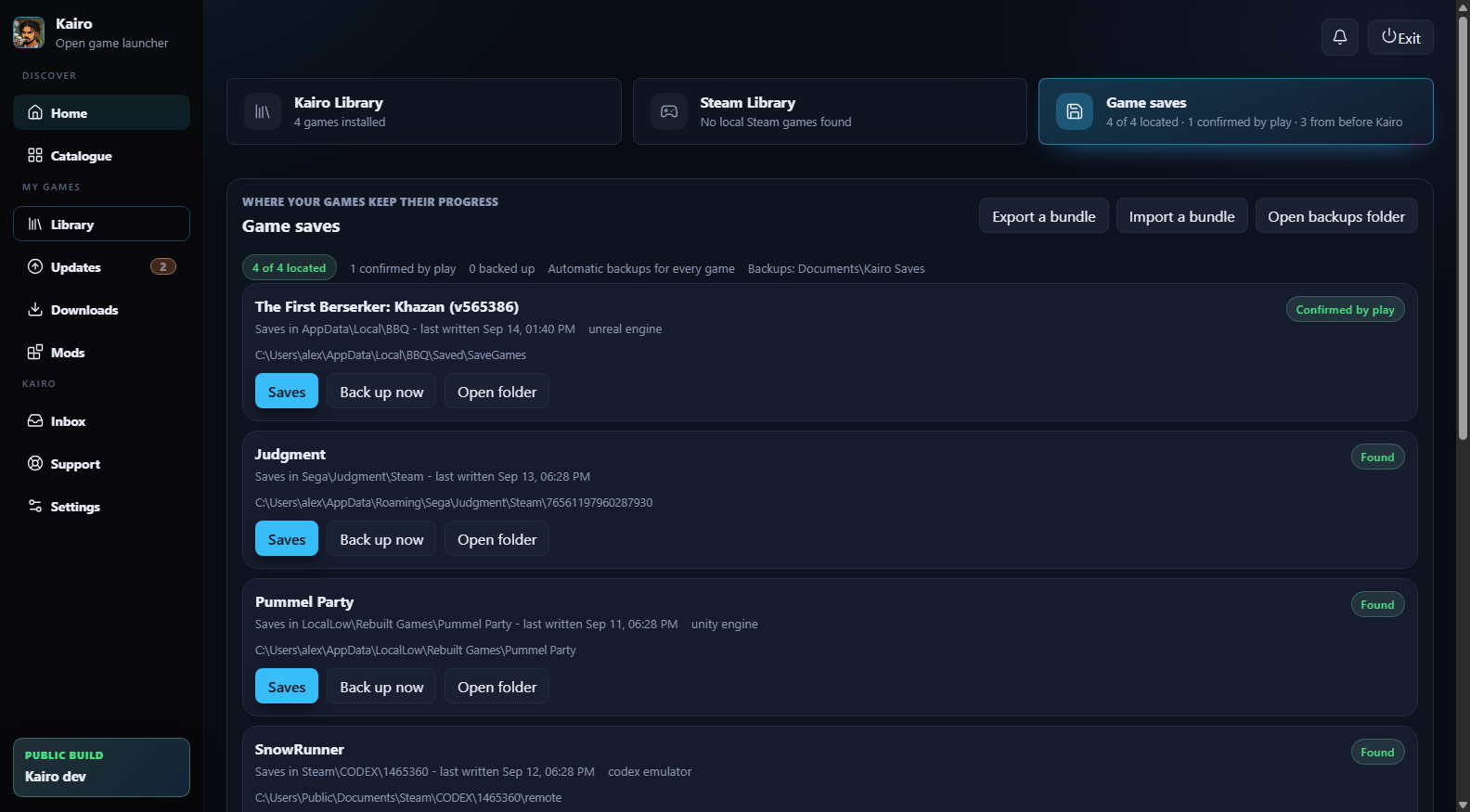
Your progress and your games
No two games save in the same place. Kairo works it out from the game's own files - the engine it runs on, the emulator it plays through, a community record for its exact Steam App ID - and confirms it by watching what the game writes while you play. It backs the saves up on its own, and shows you the games you played on this PC before Kairo existed.
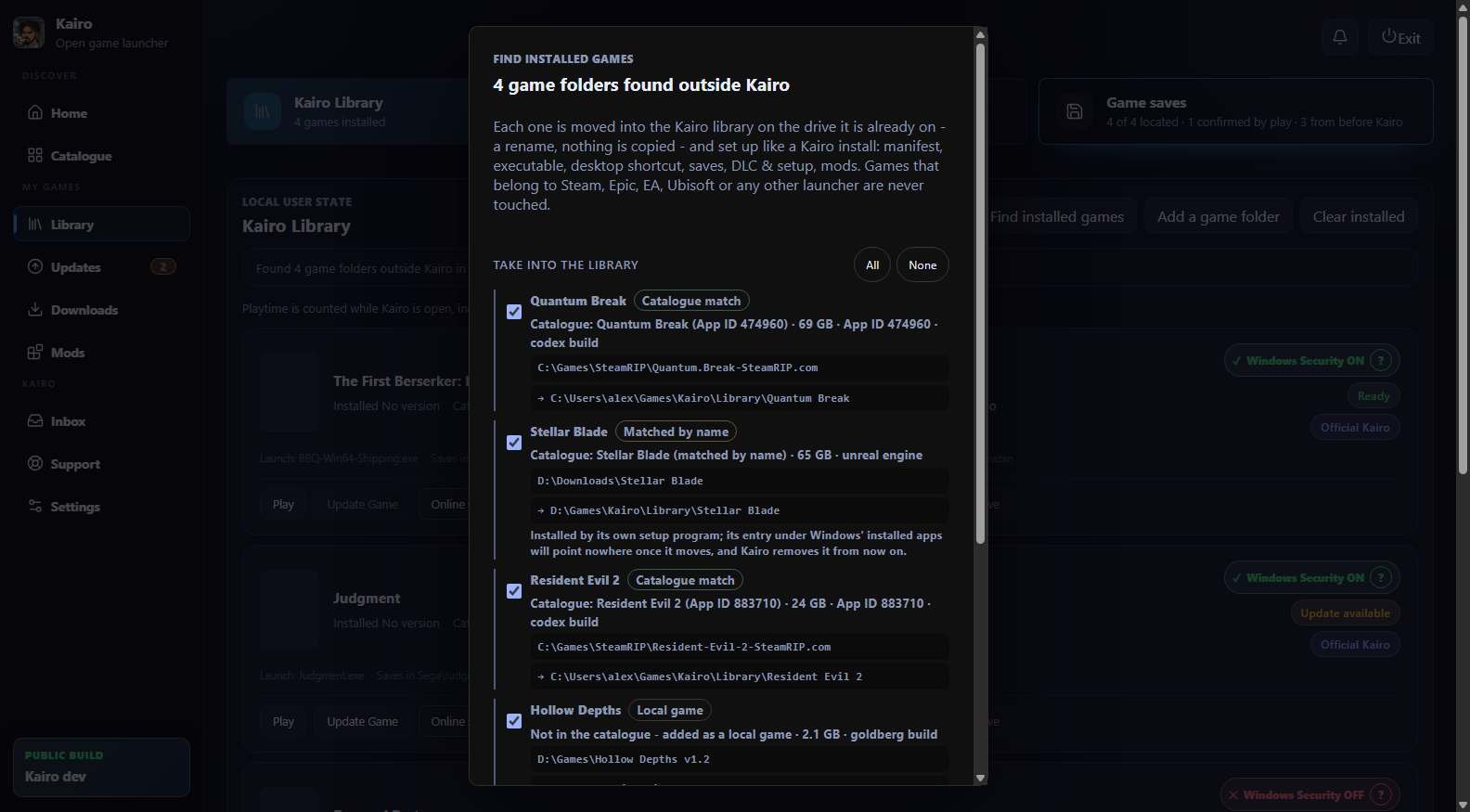
Press one button and Kairo looks through every drive for complete game folders it did not install, matches each to the catalogue, and takes the ones you tick into its library - a rename on the same drive, nothing copied - with a manifest, an executable and a shortcut, exactly as if Kairo had installed them.
A game page shows where else the game is sold - GOG, the Epic Games Store, the Microsoft Store, Ubisoft, EA, Battle.net - and one click opens the store's own page. Each id is looked up by the game's exact Steam App ID, never guessed from a title; a game Steam never sold gets a store section of its own, and its save record with it.
Where Kairo draws the line
These are not settings. They are fixed limits, enforced in the code and covered by tests, and they will not change.
Kairo never bypasses captchas, paywalls, login walls, DRM or anti-bot checks. Where a host requires verification, it opens a visible window for you to complete it yourself.
Kairo never reads Steam passwords, cookies or ownership records. It matches games by exact App ID only, and a local manifest is never treated as proof you own something.
Kairo operates no game archives of its own. It shows metadata and links that lead to independent services, and a provider label is an identification, not an endorsement.
Kairo will never ask you to turn off security software, and it never does so itself. It does tell you when a release is known to conflict with Windows Security, so the choice is yours and informed.
You need a lawful licence for anything you install through Kairo. Read the full safety and boundaries page →
Privacy
The specifics - what is stored, for how long, and how to withdraw it - are in the Privacy Notice.
Rights holders
If you own content that appears in the catalog, there is a dedicated route. A credible notice can lead to an entry being disabled while the facts are checked, and detailed proof of ownership or authority is required before Kairo confirms a final removal.
Windows 10 and 11 · 64-bit
Free, no account, and it updates itself. The installer is not code-signed yet, so Windows will show a SmartScreen warning - the download page explains exactly what you will see and why.